
How to Optimize Your Nonprofit Profile to Attract Donors and Reviews
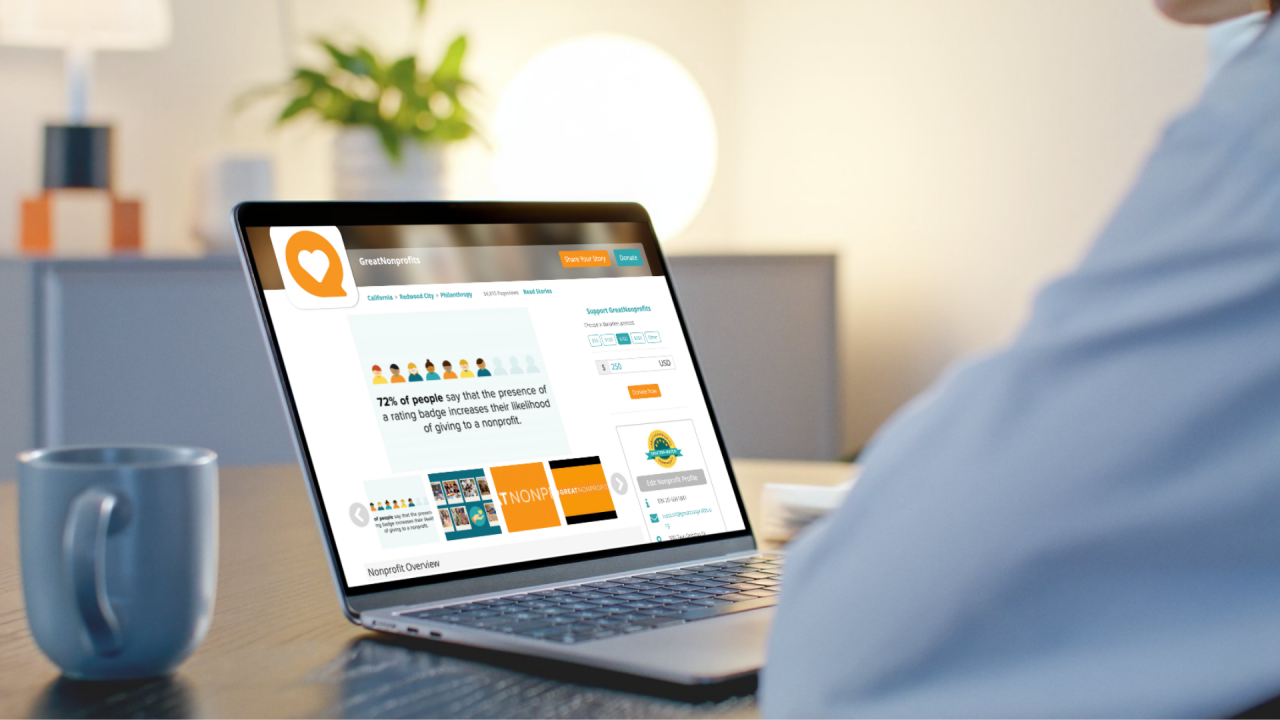
How to Optimize Your Nonprofit Profile to Attract Donors, Reviews, and Visibility
When was the last time you updated your GreatNonprofits profile?
If it’s been a while, you’re not alone. Between fundraising, programs, and everyday operations, your online presence can easily fall behind. But optimizing your nonprofit profile is one of the simplest and most effective ways to attract new donors, build trust, and increase your visibility—especially in your local community.
Think of it as a profile tune-up. You’re not starting from scratch. You’re simply polishing what’s already there so it works harder for you.
Why Your Nonprofit Profile Needs an Update
You work hard to create impact. Your online profile should reflect that.
Ask yourself:
- Does our profile highlight our latest programs and results?
- Would someone unfamiliar with our nonprofit instantly understand who we are and what we do?
- Are we building trust with new visitors who might want to donate, volunteer, or collaborate?
When your GreatNonprofits profile is optimized, it doesn’t just look good—it works harder behind the scenes.
An updated nonprofit profile can help you:
- Build trust with donors, volunteers, and partners
- Increase your visibility in search results, especially for people searching in your geographic area
- Showcase your impact through real stories and photos
- Qualify for the Top-Rated Nonprofit Award (just 10 positive reviews!)
- Get recommended more often by AI-powered search and giving platforms
The Nonprofit Profile Optimization Checklist
This isn’t about a total overhaul. A few small updates can make a big difference.
1. Update Your Nonprofit Description
Is your “About” section still accurate? Have you added new programs or community initiatives this year? Make sure your mission, values, and impact are clearly stated—and keep it benefit-focused for your audience.
SEO tip: Include your location and cause area (e.g., “We serve youth in Atlanta, GA through free STEM education programs”).
2. Add Recent Photos or Videos
A compelling visual helps build emotional connection and stops someone mid-scroll.
Add:
- A photo from a recent community event
- A behind-the-scenes look at your team or volunteers
- A short video message from your staff or a program participant
3. Invite Supporters to Leave Reviews
Positive reviews are one of the most powerful tools you have. They provide social proof that your nonprofit is real, trustworthy, and making a difference.
? Pro tip: 10 new positive reviews qualify you for the Top-Rated Nonprofit badge on GreatNonprofits.
Use our free review request templates to reach out via email or social media.
4. Respond to Existing Reviews
Even a short thank-you goes a long way. Replying to reviews shows appreciation, encourages others to leave feedback, and builds community loyalty.
5. Share Your Profile Regularly
Once you’ve updated your profile, get the word out! Include it in:
- Your email newsletter
- Social media posts (especially Facebook and Instagram)
- Thank-you messages to donors and volunteers
- Your website’s “About” or “Donate” page
Local tip: Use hashtags and keywords related to your city, region, or community (e.g., #ChicagoNonprofit, #SFBayAreaVolunteers while sharing on social media).
Why Reviews Matter for Your Nonprofit’s Reputation
People trust people. A genuine review from a volunteer, donor, or beneficiary is more persuasive than a polished press release.
Reviews can help you:
- Build credibility with new supporters
- Show up in local and cause-specific searches
- Get featured on platforms powered by AI recommendations
- Encourage others to take action and get involved
The more current and detailed your reviews are, the more powerful your profile becomes.
Keep Your Profile Active—Supporters Are Watching
Your GreatNonprofits profile is more than a listing. It’s a dynamic reflection of your nonprofit’s mission, story, and credibility.
Even small changes—like uploading a new photo or responding to a review—can lead to big results: more visibility, more trust, and more support.
You’ve already done the hard part: making an impact in your community. Now it’s time to make sure your online profile reflects that.
✅ Ready to Optimize Your Nonprofit Profile?
Log in to your GreatNonprofits account and choose one action from the checklist above. Whether it’s updating your mission statement, inviting supporters to leave reviews, or adding a new image, these small steps can help you reach more people, attract donors, and grow your visibility.
? Need help getting started? Use our free review request templates or email support@greatnonprofits.org — we’re here to help!










 Loading ...